
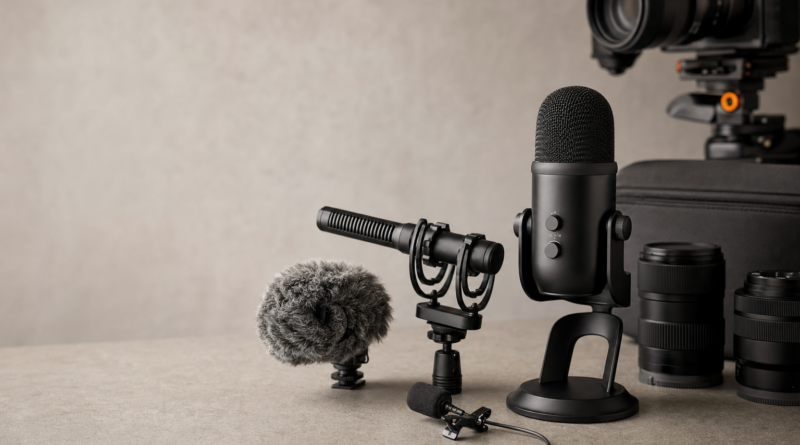
Best Microphones for YouTube and Content: Creator Audio Gear Picks
Quick Picks: Best YouTube Microphones in 2026
| Pick | Microphone | Best For | Why It Makes Sense | Amazon |
|---|---|---|---|---|
| Best overall wireless mic | DJI Mic 2 | Vlogging, interviews, camera creators | Wireless, compact, 32-bit float internal recording, strong all-around creator kit | Check Amazon Price |
| Best budget wireless mic | DJI Mic Mini | Beginners, travel, phone creators | Lightweight, simple, long battery life, more affordable than pro wireless kits | Check Amazon Price |
| Best on-camera shotgun mic | RØDE VideoMic GO II | Talking-head video, b-roll, hybrid creators | Works through 3.5mm or USB-C, compact, no complicated setup | Check Amazon Price |
| Best budget shotgun mic | Deity V-Mic D4 Mini | Camera beginners, compact rigs | No batteries required, small, simple, useful for mirrorless cameras | Check Amazon Price |
| Best USB mic for voiceovers | Audio-Technica AT2020USB-X | Desk recording, tutorials, voiceovers | USB-C, cardioid pickup, direct monitoring, clean speech capture | Check Amazon Price |
| Best streaming USB mic | Elgato Wave:3 | Streamers, gaming channels, tutorials | USB-C, cardioid pattern, 24-bit/96kHz support, strong software ecosystem | Check Amazon Price |
| Best premium USB/XLR mic | Shure MV7+ | Podcast-style YouTube channels | USB-C and XLR, auto level mode, real-time denoiser, upgrade path | Check Amazon Price |
| Best pro wireless upgrade | RØDE Wireless PRO | Paid creators, interviews, weddings, documentary | 32-bit float onboard recording, timecode, strong accessory bundle | Check Amazon Price |
What Is the Best Microphone for YouTube?
For most YouTube creators, the best microphone is the one that fits your shooting style.
If you film at a desk, buy a USB microphone. If you vlog, teach, walk, or interview people, buy a wireless lavalier system. If you film with a mirrorless camera and stay near the camera, an on-camera shotgun mic can work well.
The mistake beginners make is buying one random “popular mic” and expecting it to fix every audio problem. It will not. A microphone cannot fully solve bad placement, wind, echo, or a noisy room.
For most camera-based creators in 2026, the DJI Mic 2 is the strongest all-around pick because it works for vlogging, interviews, camera setups, phone shooting, and backup recording. DJI lists the Mic 2 with intelligent noise canceling and 32-bit floating-point internal recording, which is useful when levels are unpredictable during real shoots.
1. DJI Mic 2 — Best Overall Wireless Microphone for YouTube
The DJI Mic 2 is the best overall YouTube microphone for creators who film away from a desk. It is especially useful for vlogs, interviews, travel videos, creator b-roll, tutorials, camera reviews, and social media clips.
The big advantage is consistency. Because the mic sits close to your voice, it usually sounds clearer than an on-camera mic when you are moving, turning your head, or filming outdoors.
DJI’s official specs highlight 32-bit float internal recording and intelligent noise canceling, which makes the Mic 2 a safer choice when audio levels change quickly.
Buy it if:
- You shoot YouTube videos with a camera or phone.
- You record interviews or two-person videos.
- You want wireless audio with backup recording.
- You film outdoors, while walking, or while moving around.
Skip it if:
- You only record voiceovers at a desk.
- You want the cheapest possible mic.
- You do not want to manage transmitters, charging cases, and receivers.
Best accessories to add: extra lav windshields, small hard case, USB-C/Lightning adapters if needed.
Check DJI Mic 2 price on Amazon
2. DJI Mic Mini — Best Budget Wireless Microphone for Beginners
The DJI Mic Mini is the better choice if you want wireless audio but do not want to pay for a higher-end kit like the DJI Mic 2 or RØDE Wireless PRO.
This is the mic I would recommend to a beginner vlogger who wants something small, simple, and travel-friendly. DJI describes the Mic Mini as an ultralight wireless microphone with up to 48 hours of battery life using the charging case and support for direct connection with DJI’s OsmoAudio ecosystem.
It is not as advanced as the DJI Mic 2, but that is the point. Many beginners do not need every pro feature. They need better voice capture than their camera or phone can provide.
Buy it if:
- You want a simple wireless mic for YouTube.
- You film travel, lifestyle, family, or short-form content.
- You care about portability.
- You want better audio without building a full audio rig.
Skip it if:
- You need advanced internal recording features.
- You regularly shoot paid interviews or professional client work.
- You want the most robust wireless system possible.
Check DJI Mic Mini price on Amazon
3. RØDE VideoMic GO II — Best On-Camera Shotgun Microphone
The RØDE VideoMic GO II is one of the smartest on-camera microphones for beginner and intermediate creators because it works in more than one setup. You can use it with a camera through 3.5mm, or connect it by USB-C to a computer or mobile device as a USB microphone. RØDE also notes that the 3.5mm output can be used for headphone monitoring when the mic is in USB mode.
That flexibility matters. A creator might film camera reviews on a mirrorless camera one day and record a voiceover at a desk the next. The VideoMic GO II can cover both.
Buy it if:
- You shoot talking-head videos with a camera.
- You want a compact shotgun mic.
- You need both camera and USB-C recording options.
- You do not want batteries or a complicated setup.
Skip it if:
- You walk far away from the camera.
- You film in very noisy spaces.
- You need consistent audio while turning your head.
For movement-heavy content, a wireless lavalier like the DJI Mic 2 is usually better.
Check RØDE VideoMic GO II price on Amazon
4. Deity V-Mic D4 Mini — Best Budget Shotgun Mic for Cameras
The Deity V-Mic D4 Mini is a strong budget pick for creators who want a compact on-camera microphone without dealing with batteries.
Deity says the V-Mic D4 Mini runs from plug-in power supplied by the camera’s microphone jack, and it also has a 3.5mm input that can pass power to a passive lavalier microphone.
That makes it useful for beginner mirrorless camera setups, especially if you are building a small rig for YouTube, travel, or simple talking-head videos.
Buy it if:
- You want a cheap camera-mounted mic.
- Your camera has a 3.5mm mic input.
- You want a compact setup for mirrorless video.
- You mostly film close to the camera.
Skip it if:
- You need wireless freedom.
- You want USB-C recording.
- You film interviews or movement-heavy scenes.
Check Deity V-Mic D4 Mini price on Amazon
5. Audio-Technica AT2020USB-X — Best USB Microphone for Voiceovers
The Audio-Technica AT2020USB-X is a strong choice for YouTubers who record tutorials, voiceovers, online courses, product reviews, and desk-based content.
Audio-Technica lists the AT2020USB-X as a USB-C cardioid condenser microphone with up to 24-bit/96kHz conversion and a built-in headphone jack for direct monitoring.
This is exactly what a desk creator needs: clear voice capture, simple setup, and headphone monitoring so you can hear problems before recording an entire video.
Buy it if:
- You record voiceovers at a desk.
- You make tutorials, screen recordings, or online courses.
- You want simple USB-C setup.
- You want cleaner speech than a webcam, laptop, or camera mic.
Skip it if:
- You mainly vlog outdoors.
- You need a mic mounted on your camera.
- Your room is echoey and untreated.
USB condenser mics can sound great, but they also hear room reflections. Get close to the mic and soften the room if possible.
Check Audio-Technica AT2020USB-X price on Amazon
6. Elgato Wave:3 — Best USB Microphone for Streaming and Gaming Channels
The Elgato Wave:3 is a good pick for creators who want a USB microphone plus a creator-friendly software workflow.
Elgato lists the Wave:3 with a cardioid polar pattern, USB-C interface, 24-bit resolution, 48/96kHz sample rate, and Clipguard support for handling loud input peaks.
This makes it especially useful for streamers, gaming channels, reaction videos, software tutorials, and creators who mix multiple audio sources.
Buy it if:
- You stream or record at a computer.
- You want software control over audio.
- You make gaming, tutorial, or reaction content.
- You need a clean USB setup.
Skip it if:
- You shoot mostly with a camera away from your desk.
- You want an XLR upgrade path.
- You dislike software-based workflows.
Check Elgato Wave:3 price on Amazon
7. Shure MV7+ — Best Premium USB/XLR Microphone for YouTube
The Shure MV7+ is the best upgrade pick for YouTubers who want podcast-style sound without locking themselves into one workflow.
The key advantage is that it offers both USB-C and XLR outputs. You can start simple over USB, then move to an audio interface or mixer later. Shure also lists features including Auto Level Mode, a digital pop filter, real-time denoiser, and a customizable LED touch panel.
This is a strong choice for creators who make talking-head videos, podcasts, interviews, commentary, educational content, or livestreams.
Buy it if:
- Your channel depends heavily on voice quality.
- You want USB now and XLR later.
- You record in a less-than-perfect room.
- You want a serious desk microphone.
Skip it if:
- You only need a cheap starter mic.
- You mainly shoot outdoor vlogs.
- You do not want a visible microphone in frame.
Check Shure MV7+ price on Amazon
8. RØDE Wireless PRO — Best Pro Wireless Microphone Upgrade
The RØDE Wireless PRO is overkill for casual beginners, but it makes sense for serious creators, wedding filmmakers, interview shooters, and hybrid photo/video professionals.
RØDE lists the Wireless PRO with 32-bit float onboard recording, timecode, up to 260m range, 32GB internal memory per transmitter, and included Lavalier II microphones.
This is the kind of kit you buy when audio failure is not acceptable.
Buy it if:
- You shoot paid client work.
- You record interviews or documentary content.
- You need backup recording.
- You want timecode for faster post-production syncing.
- You want a complete wireless kit with premium accessories.
Skip it if:
- You are just starting YouTube.
- You do not need timecode.
- You want the smallest or cheapest wireless mic.
Check RØDE Wireless PRO price on Amazon
Which Type of YouTube Microphone Should You Buy?
| Your Content Style | Best Mic Type | Best Pick |
|---|---|---|
| Desk voiceovers | USB cardioid | Audio-Technica AT2020USB-X |
| Streaming or gaming | USB mic with software | Elgato Wave:3 |
| Podcast-style YouTube | USB/XLR dynamic mic | Shure MV7+ |
| Camera talking-head video | On-camera shotgun | RØDE VideoMic GO II |
| Budget camera setup | Compact shotgun | Deity V-Mic D4 Mini |
| Walking vlogs | Wireless lavalier | DJI Mic Mini or DJI Mic 2 |
| Interviews | Dual wireless lav kit | DJI Mic 2 or RØDE Wireless PRO |
| Paid creator work | Pro wireless system | RØDE Wireless PRO |
Buying Mistakes to Avoid
Buying a USB mic for outdoor vlogging
A USB desk mic is great for voiceovers. It is not the right tool for walking videos, interviews, or handheld camera work.
Buying a shotgun mic when you really need a lavalier
Shotgun mics work best when they stay aimed at your mouth. If you turn away from the camera or walk around, your audio can become inconsistent.
Ignoring wind protection
Outdoor audio without a proper windshield is a gamble. Even a good microphone can sound terrible in wind.
Recording too far from the microphone
Distance is the enemy of clear speech. A cheap mic close to your mouth often beats an expensive mic across the room.
Forgetting compatibility
Before buying, check whether your camera has a 3.5mm mic input, whether your phone needs USB-C or Lightning, and whether your computer setup supports the mic.
Spending everything on the mic
Budget for a stand, pop filter, wind protection, headphones, cables, and storage. Accessories are not optional if you want consistent results.
Best Accessories to Buy With a YouTube Microphone
| Accessory | Why You Need It |
|---|---|
| Pop filter | Reduces harsh P and B sounds for desk recording |
| Boom arm | Positions a USB/XLR mic close to your mouth |
| Shock mount | Reduces desk bumps and vibration noise |
| Deadcat windshield | Essential for outdoor shotgun and lav audio |
| Monitoring headphones | Helps catch clipping, noise, and connection issues |
| Audio interface | Required for traditional XLR workflows |
| Spare cables | Prevents failed shoots from simple cable problems |
| Small hard case | Protects wireless mics, transmitters, clips, and adapters |
FAQ: Best Microphones for YouTube
What is the best microphone for YouTube beginners?
For most beginners, the best choice is either the DJI Mic Mini for wireless camera or phone videos, or the Audio-Technica AT2020USB-X for desk voiceovers. Pick based on how you record.
Is a wireless mic better than a shotgun mic for YouTube?
A wireless mic is usually better if you move around, vlog, teach, or interview people. A shotgun mic is better when you stay close to the camera and keep the mic pointed at your mouth.
Do I need an XLR microphone for YouTube?
No. XLR is useful for advanced setups, but many YouTubers can get excellent results with USB or wireless microphones. Consider XLR only if you want more control, better expandability, or a podcast-style studio setup.
What microphone should I use for YouTube voiceovers?
For voiceovers, choose a USB cardioid microphone like the Audio-Technica AT2020USB-X, Elgato Wave:3, or a premium USB/XLR mic like the Shure MV7+.
Why does my YouTube audio sound bad even with a good mic?
Common causes include recording too far away, filming in an echoey room, using no wind protection outdoors, setting gain too high, or not monitoring with headphones.
What is better for interviews: DJI Mic 2 or RØDE Wireless PRO?
The DJI Mic 2 is better for most creators who want an easy, compact wireless kit. The RØDE Wireless PRO is better for paid work, timecode workflows, and creators who want a more professional accessory bundle.
Final Verdict: Which YouTube Microphone Should You Buy?
If you want the safest all-around YouTube microphone for camera and phone content, buy the DJI Mic 2. It is flexible, compact, and strong enough for vlogging, interviews, and serious creator work.
If you want the best budget wireless option, choose the DJI Mic Mini.
If you record at a desk, choose the Audio-Technica AT2020USB-X or Elgato Wave:3.
If you want a simple on-camera microphone, choose the RØDE VideoMic GO II.
If your channel is becoming serious and you want a premium voice setup, choose the Shure MV7+.
Bottom line: do not buy a microphone because it is popular. Buy the mic that fits where your mouth is when you record.